
Overview
The E-Sign Certificate is a supplementary document generated alongside a signed document, providing a complete, tamper-evident record of the signing process. It captures who signed, when, from where, and in what order – giving users full visibility into the audit trail of a completed document. Unlike the main document, the certificate is not part of the negotiated content; it exists purely as a verification and compliance artifact.
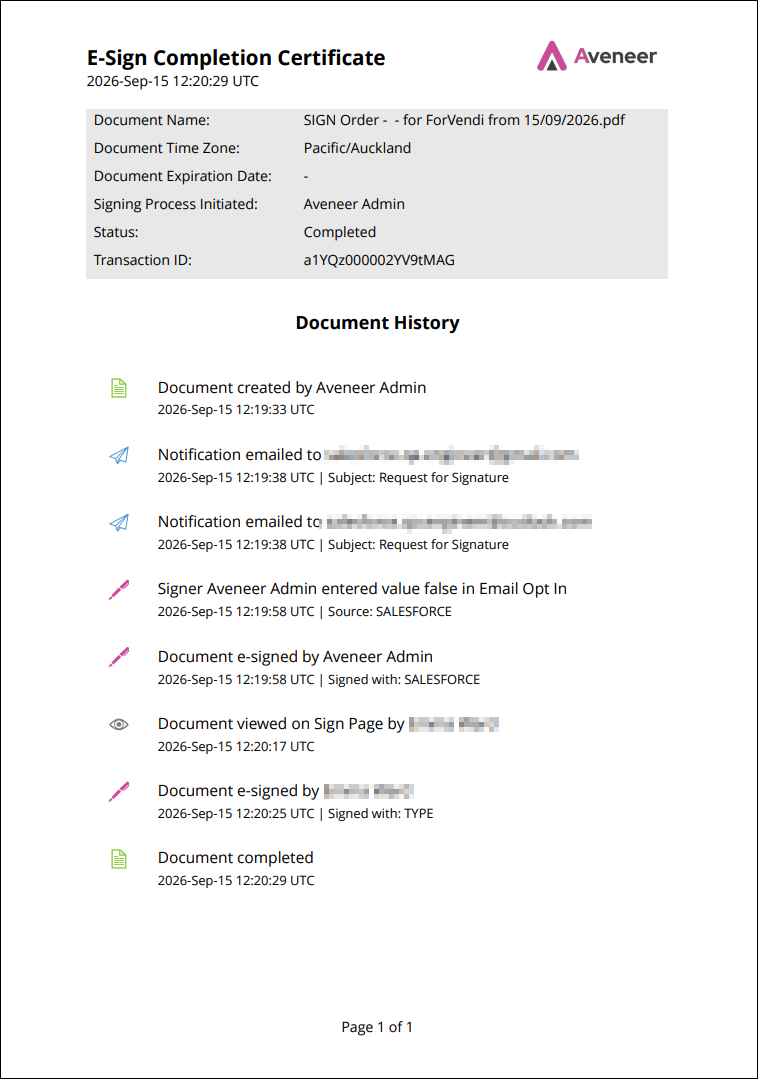
Enabling the Certificate
The certificate is not generated by default. It is driven by the Additional Certificate field on the Template Configuration page. When this field has E-Sign Completion Certificate value, the system generates a certificate record every time a document is created from that template.
If the field is left blank, no certificate is produced, and none of the downstream behavior described in this chapter (merging, delivery, exclusion) applies.
Merging the Certificate with the Main Document
By default, the certificate exists as a standalone document. However, some workflows call for a single, self-contained PDF that includes both the signed agreement and its audit trail.
The Merge Certificate With Document field, also found on the Template Configuration page, controls this behavior:
- Enabled – the certificate pages are appended to the main document, producing one combined file.
- Disabled – the certificate remains a separate attachment alongside the main document.
This setting only takes effect when E-Sign Completion Certificate is selected; the controlling checkbox is blocked otherwise.
Signature Flow Requirement
The certificate feature is only supported within the Aveneer Signature flow. This has a direct configuration dependency: the Template must have a related Branch Config record set to the “With Signatures” record type.
If a template is related to a Branch Config without this record type – or doesn’t have one entirely – the certificate functionality will not be available. In such case User will not be able to save the Template Configuration record with E-Sign Completion Certificate selected.
Generation and Delivery
Once the prerequisites above are met, the certificate is generated in lockstep with the main document – it isn’t a delayed or asynchronous process tacked on afterward. When the signing process completes, the certificate (merged or standalone, per configuration) is attached to the Document Complete email notification and sent to the signing parties along with the final agreement.
Excluding the Certificate from Recipients
There are cases where an organization wants the certificate generated and stored for internal record-keeping, but doesn’t want it going out to the signers themselves. The Do Not Send Certificate To Recipients field (Template Configuration page) handles this:
- True – the certificate is still generated and retained, but omitted from the Document Complete email.
- False (default) – the certificate is included in the outbound email as normal.
This option is not available for certificates merged with the main document.